How to set a cooker timer (duration) / minute minder
Issue
- How to set a cooker timer (duration) / minute minder
Applies to
- Freestanding cookers
Resolution
Setting the oven minute minder and duration (timer)
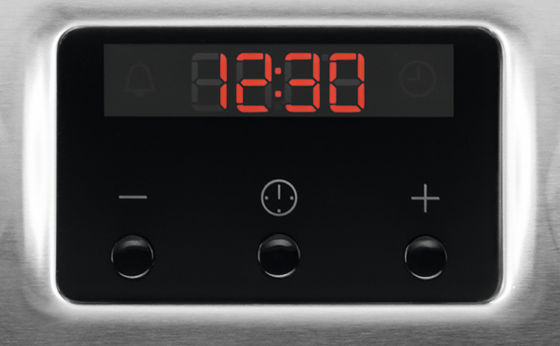
Setting the Minute Minder


3. The Minute Minder starts automatically after 5 seconds.
4. When the set time ends, an acoustic signal sounds. Press any button to stop the acoustic signal.
Settings the Duration*
*availability of this function depends on the model. Check your for more information
1. Set the oven function and temperature


5. Press any button to end the acoustic signal.
6. Turn the knob for the oven functions and the knob for the temperature to the off position
Cancelling the clock functions


If you found the following information helpful, please give us a thumbs up below. If this information did not resolve your question, all constructive feedback is welcome.
Was this article helpful?
Related Articles
- How to Proof Dough in an Oven (Without a Proofing Setting)
- Oven display shows PYR
- How to use the Aqua Clean function on your Oven
- How to clean stainless steel or aluminium oven front panel / door?
- Oven displays error code with prefix F
- The time is not shown on the display when the oven is turned off
- Oven clock flashes or time displaying 00:00 / 12:00 - Zanussi
- Oven light does not work
- How to set an oven timer - Zanussi
- Water gets on the kitchen floor when using the oven
Spare parts & Accessories
Find original spare parts and accessories for your appliance in our webshop and have them delivered directly to your door.
Related Articles
- How to Proof Dough in an Oven (Without a Proofing Setting)
- Oven display shows PYR
- How to use the Aqua Clean function on your Oven
- How to clean stainless steel or aluminium oven front panel / door?
- Oven displays error code with prefix F
- The time is not shown on the display when the oven is turned off
- Oven clock flashes or time displaying 00:00 / 12:00 - Zanussi
- Oven light does not work
- How to set an oven timer - Zanussi
- Water gets on the kitchen floor when using the oven