How to clean Zanussi induction or ceramic / electric radiant hob?
Issue
- How to clean Zanussi induction or radiant hob
- How to remove cloudy marks on the hob surface
Applies to
- Induction hobs
- Electric (radiant) ceramic hobs
Resolution
1. Turn off power. Ensure that all cooking zones are cold before cleaning.
A useful tip is to use the child lock so you do not accidentally turn on your hob while cleaning.
2. Remove immediately: melted plastic, plastic foil, sugar and food with sugar, otherwise, the dirt can cause damage to the glass.
Use a special on the glass surface at an acute angle and move the blade on the surface.

3. Clean hob with (available in our Webshop).
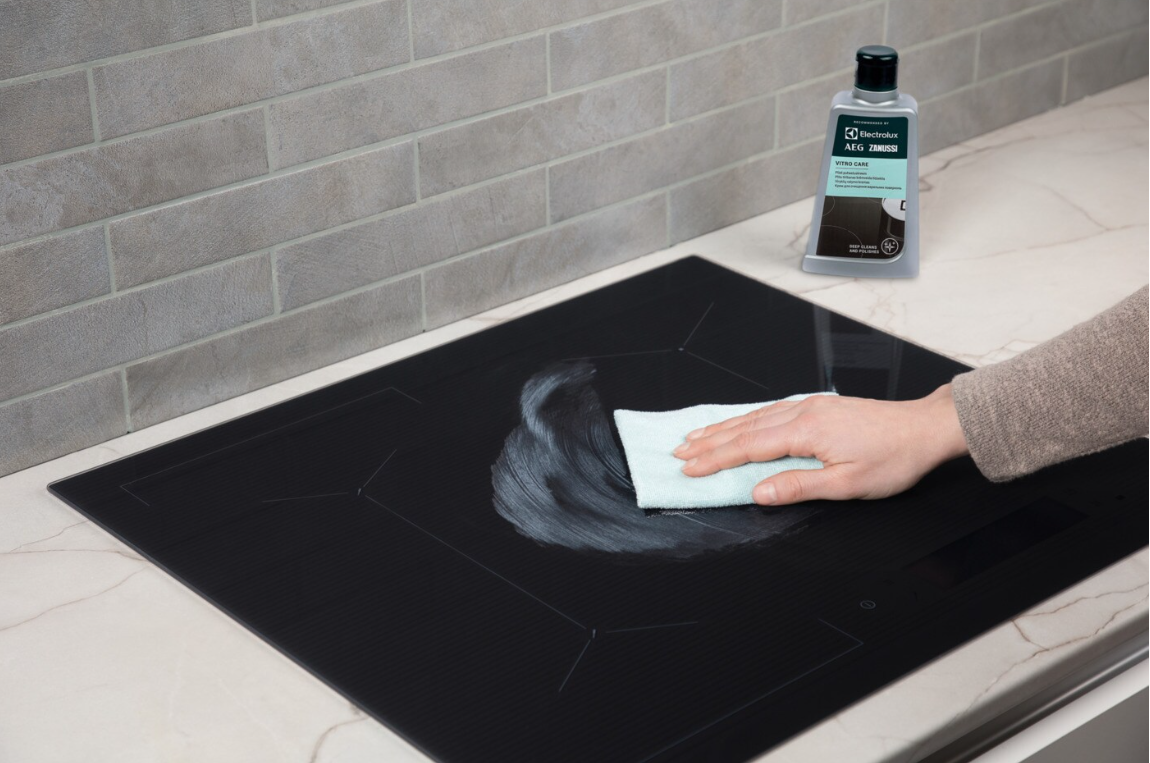
4. Wipe the hob dry with a soft cloth.
If you find you accidentally turn the hob on while cleaning (on a ceramic hob this could mean that a zone is activated and starts to heat up), a useful tip is to activate the child lock before cleaning.
For more information refer to the user manual supplied with your appliance.
Download the .
Was this article helpful?
Related Articles
- The drawer under induction hob gets very hot
- Hob blows/ trips fuse
- Hob displays message L, the hob is locked
- How to Find the PNC Number on an Installed Hob
- Hob displays error message E6 / E641
- Induction hob emits an unusual sound
- Induction hob displays error code F or F1
- Can I put a protection mat on the induction hob?
- Hob, Oven or Cooker Does Not Turn On
- Hob displays error message E3 / E311 / E312 / E313
Spare parts & Accessories
Find original spare parts and accessories for your appliance in our webshop and have them delivered directly to your door.
Related Articles
- The drawer under induction hob gets very hot
- Hob blows/ trips fuse
- Hob displays message L, the hob is locked
- How to Find the PNC Number on an Installed Hob
- Hob displays error message E6 / E641
- Induction hob emits an unusual sound
- Induction hob displays error code F or F1
- Can I put a protection mat on the induction hob?
- Hob, Oven or Cooker Does Not Turn On
- Hob displays error message E3 / E311 / E312 / E313