Hob displays error message E9
Issue
- Hob displays error message E9 - This indicates a potential issue with the circuit board.
Applies to
- induction hobs
- ceramic hobs
Resolution
Hob displays error code E9 - This indicates a potential issue with the circuit board. A hob reset may resolve the issue - instructions on how it may be resolved are shown below.
Sometimes it's something simple but just prepare yourself that there might be a slightly bigger problem as we are talking about very sensitive electrical equipment. Let's start with the simple fix, however, be mindful that it's likely we won't be able to resolve an electrical problem without a competent and qualified person diagnosing and then resolving the problem.
1. Disconnect the appliance from the power supply for at least 30 seconds.
Reconnect it and switch it back on.
Note: To reboot the appliance, it is necessary to switch it off from the mains and wait 30 seconds before switching it back on.
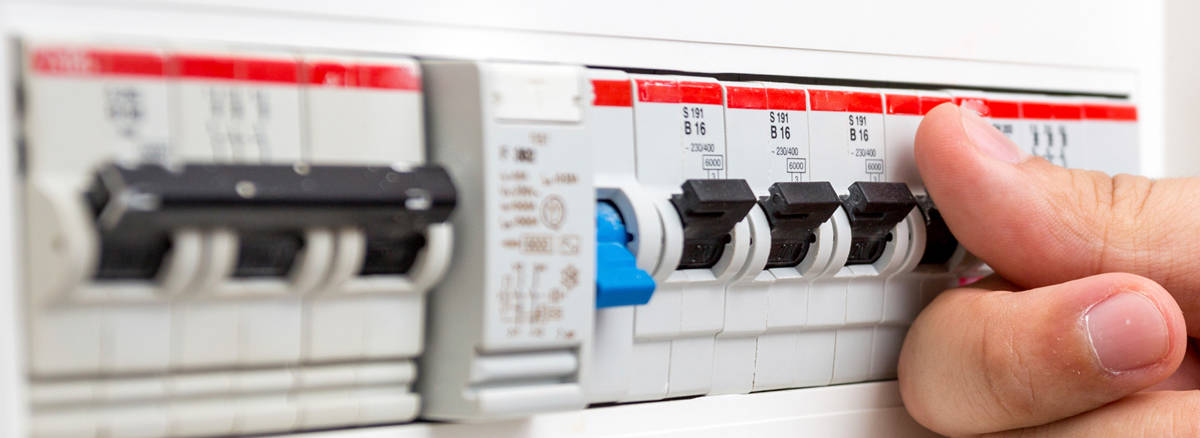
For built-in appliances, owing to the impossibility of disconnecting them from the electrical grid, the appliance must be disconnected via the RCD switch.
Book a Service Visit
If none of the above steps resolve the issue, we recommend booking a service visit with an authorised technician. A professional inspection will help identify and fix any internal faults safely and efficiently.
Attention: we do not recommend using the product until the issue has been fully resolved. Disconnect the product and do not reconnect it until you are certain it is safe to do so.
Cause
Error code E9 indicates a fault in the electronic module
Was this article helpful?
Related Articles
- Hob Not Working: Cannot Activate, No Display, or Interface Not Responding
- Hob blows/ trips fuse
- Hob displays error message E7
- The induction hob is noisy, makes a humming sound
- Induction hob displays error code F or F1
- Induction Hob Connecting Cable Not Supplied With The Appliance
- Hob displays message L, the hob is locked
- How to Find the PNC Number on an Installed Hob
- Discoloured glass plate / ceramic glass cleaning tips
- How do I connect my electric ceramic or induction cooker to the power supply?
Spare parts & Accessories
Find original spare parts and accessories for your appliance in our webshop and have them delivered directly to your door.
Related Articles
- Hob Not Working: Cannot Activate, No Display, or Interface Not Responding
- Hob blows/ trips fuse
- Hob displays error message E7
- The induction hob is noisy, makes a humming sound
- Induction hob displays error code F or F1
- Induction Hob Connecting Cable Not Supplied With The Appliance
- Hob displays message L, the hob is locked
- How to Find the PNC Number on an Installed Hob
- Discoloured glass plate / ceramic glass cleaning tips
- How do I connect my electric ceramic or induction cooker to the power supply?