Dishwasher displays error code i70
Issue
- My dishwasher doesn't heat or displays error code i70
Applies to
- Integrated dishwasher
- Freestanding dishwasher
Resolution
Reset your appliance.
- Remove the plug for the dishwasher
- Check your dishwasher filter and sump ( See below ) for signs of foam/suds & debris
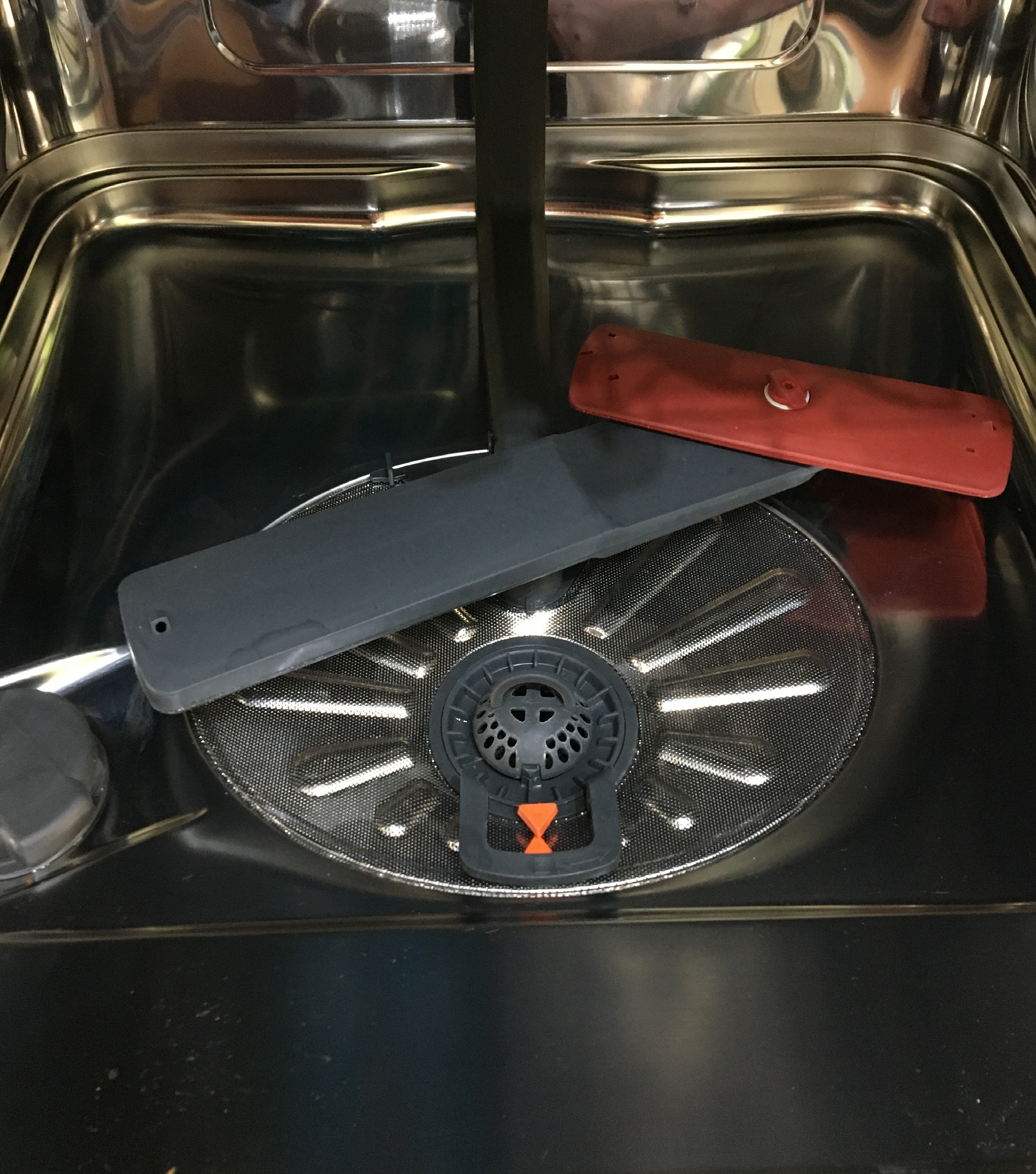
- Making sure you clean all the filters
- Clearing any foam/suds from the sump. Plug it back in. Turn on the dishwasher, select a suitable cycle and start it.
- If the cycle starts and operates normally, the problem has been resolved.
If the above steps don't resolve the issue then a service visit by one of our approved service providers is recommended.
Cause
- Error code i70 - Temperature sensor in the sump is detecting a defect
Was this article helpful?
Related Articles
- Dishwasher is not heating up water
- Dishwasher does not / will not start but the power is on
- Dishwasher does not switch on, no light on the control panel
- Dishwasher displays error code i20, beeps twice, not draining
- Dishwasher displays error code i40, i43 or i44
- Dishwasher displays error code i50
- The auto-cleaning indicator ("Machine Care") lights up on the dishwasher
- Dishwasher installation (Sliding door)
- How does the AirDry function in AEG dishwashers work?
- How to deactivate AirDry function on Zanussi dishwasher
Related Articles
- Dishwasher is not heating up water
- Dishwasher does not / will not start but the power is on
- Dishwasher does not switch on, no light on the control panel
- Dishwasher displays error code i20, beeps twice, not draining
- Dishwasher displays error code i40, i43 or i44
- Dishwasher displays error code i50
- The auto-cleaning indicator ("Machine Care") lights up on the dishwasher
- Dishwasher installation (Sliding door)
- How does the AirDry function in AEG dishwashers work?
- How to deactivate AirDry function on Zanussi dishwasher